Features
Application Settings
Configure Tabby's behavior, AI models, and keyboard shortcuts to fit your workflow.
The Settings panel is the command center for Tabby. From here, you can manage everything from AI models to the brain's long-term memory.
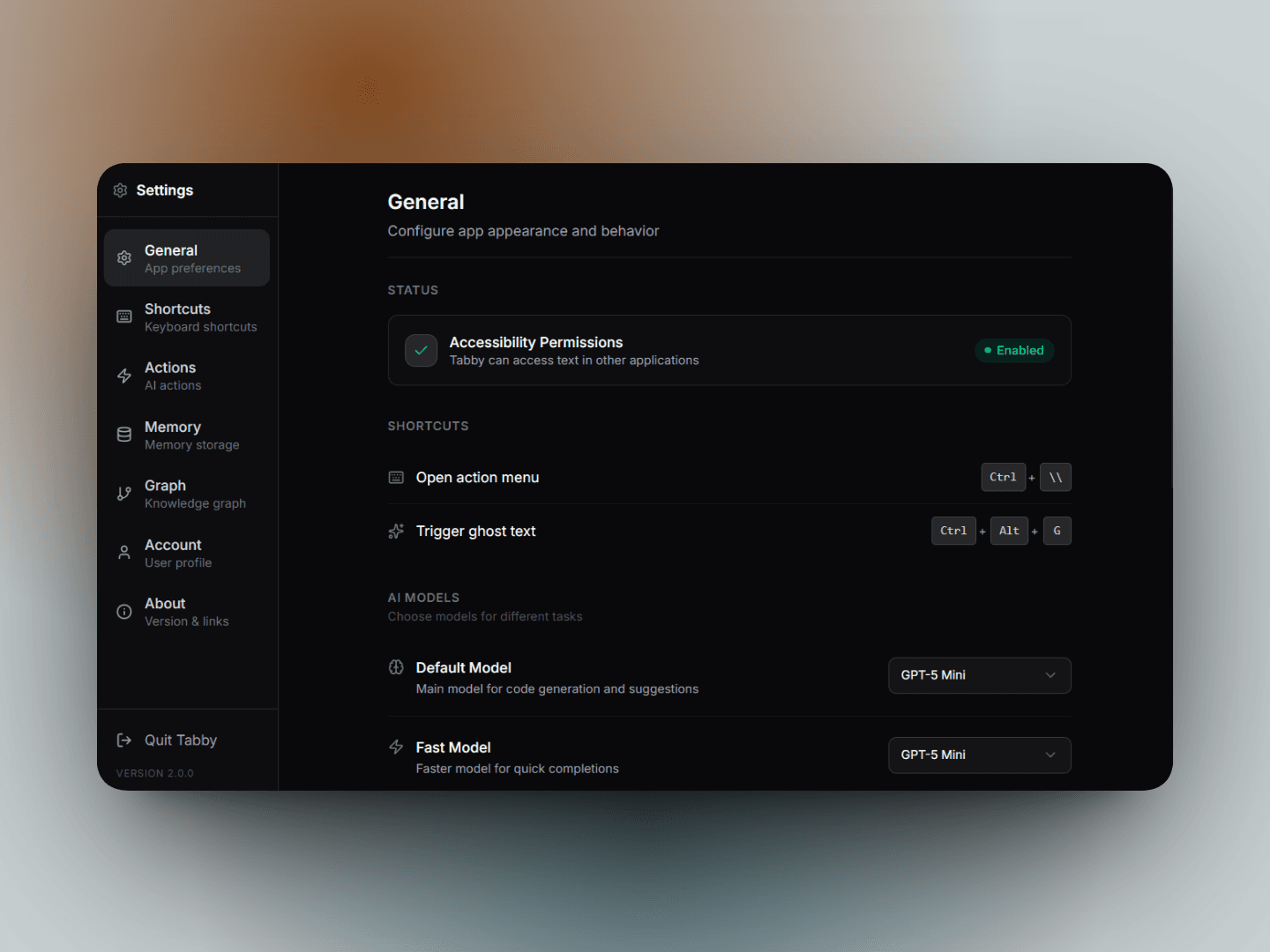
General Configuration
The General tab allows you to fine-tune how Tabby interacts with your system.
Status & Permissions
Check if Tabby has the necessary Accessibility Permissions to interact with other applications on your Windows device. This is crucial for ghost text and the action menu to function.
AI Model Management
Configure different models for specific tasks:
- Default Model: The primary powerhouse for complex logic, code generation, and deep analysis.
- Fast Model: A lightweight, snappy model for quick suggestions and simple completions.
Behavior & Output
- AI Suggestions: Choose between Hotkey mode (Ctrl + Space) or Auto-suggest (triggers on copy).
- Text Output: Select how Tabby delivers text:
- Instant Paste: High-speed delivery via clipboard.
- Typewriter: Natural, character-by-character typing.
- Typewriter - LeetCode: Optimized typewriter mode for coding platforms.
- Ghost Text: Enable inline AI completions that appear as you type. You can also configure the Auto-trigger delay to find the perfect balance between helpfulness and focus.
Memory Store
The Memory tab gives you full control over Tabby's semantic memory.
- Categories: Tabby organizes what it learns into structured types:
- Core Facts: Long-term identity and foundational information.
- Workflow Rules: Procedural knowledge on how you like to work.
- Knowledge Base: Semantic information gathered from research.
- Past Events: Episodic memory of your recent interactions.
- Search & Edit: Quickly find specific pieces of information or delete memories that are no longer relevant.
- Manual Entry: You can manually add facts or rules to Tabby's memory to ensure it always understands your specific context.
Custom Actions
Tabby allows you to create your own Custom Actions in addition to the built-in defaults.
- System Prompts: Define custom instructions for common tasks (e.g., "Summarize this for a 5-year old").
- Quick Shortcuts: Assign an
Alt + [Key]shortcut to any action for instant execution from the action menu.